The 10 Best AI Dropshipping Tools in 2026 (Ranked by What They Replace)
Agency invoices eat dropshipping margins alive. This is the 10-tool AI stack that replaces $5K a month in contractors for under $135, ranked by which invoice each tool kills and when to subscribe as your store grows.


Disclosure: Some links in this article are affiliate links. We may earn a commission at no extra cost to you.
A boutique agency bills $2,000 a month for product research, $1,500 per batch for ad creatives, $1,500 a month for email flow management, and another $500 for ops work. That is $5,500 in fixed overhead before a single order ships. On a Shopify store doing $15K a month at 20% net margin, you just handed $5,500 to contractors and kept negative $2,500. The math does not work.
The solo operators clearing $30K a month in 2026 are not paying those invoices. They run an AI tool stack that handles the same work for $19 to $135 a month depending on revenue stage, and they reinvest the difference into ad spend. Industry benchmarks put average dropshipping net margins at 15 to 20% after all expenses. Every dollar you save on tools and contractors is a dollar that goes back into scaling.
This list is not a random dump of 10 apps. Every tool is ranked by the specific contractor invoice it kills, organized in the order you should subscribe as your store grows. Real 2026 pricing, honest limitations, no vendor theater.
Quick answer
Start with GetHookd ($19/mo) for ad research and Omnisend (free) for email recovery. Add Systeme.io (free) for funnels and Make (free) for automation. Total: $19 a month, replacing roughly $4K in monthly contractor fees. Scale up tool-by-tool as revenue grows.
What to look for in AI dropshipping tools
Every SaaS company claims to automate your ecommerce business. Most of them are built for enterprise B2B teams and translate poorly to a scrappy Shopify store running product tests. Here is the filter that separates real tools from expensive dashboards.
Kills a specific contractor invoice. If a tool does not replace a recurring fee you would otherwise pay a human for, skip it. The four invoices that matter in dropshipping: product research, ad creative and copy, email flow management, and operations automation. Every tool in this list maps to one of those four.
Starter plan under $70 a month. Your first three product tests are losing money by design. The tool stack cannot cost more than the test budget. Any vendor whose cheapest tier is above $100 is built for stores already doing $30K a month, not stores trying to get there.
Pre-built ecommerce workflows. A "flexible platform" that ships with zero Shopify-specific templates costs you 10 to 20 hours of setup before it produces value. You want abandoned cart flows, product page templates, or ad copy frameworks already wired in. Activate, tune, move on.
Native Shopify integration. Tools that require Zapier as a bridge between themselves and your store double your failure points and add $20 a month to overhead. Native connectors pull order data, customer segments, and product feeds directly. Non-negotiable for the email and automation categories.
Real free tier or trial without a credit card. A "14-day free trial" behind a credit card wall is a subscription trap. The best tools give you enough free access to run one product test end-to-end before you spend a dollar. If a vendor blocks that, the product probably does not survive real testing.
Comparison at a glance
| Tool | Best For | Starting Price | Free Tier | Replaces |
|---|---|---|---|---|
| GetHookd | Competitor ad research + scripts | $19/mo | 7-day trial | Research agency |
| Semrush | SEO + keyword intelligence | $139.95/mo | Limited free | SEO consultant |
| Okara AI | Multi-model AI for copy | $12.50/mo | Free plan | Copywriter |
| LanderLab | AI landing pages | $69/mo | Free trial | Web designer |
| Systeme.io | Funnels + email combo | Free | Free forever | Funnel agency |
| Omnisend | Ecommerce email + SMS | $16/mo | Free to 250 | Email consultant |
| Klaviyo | Advanced segmentation | $45/mo | Free to 250 | CRM analyst |
| Make | Visual automation | $9/mo | Free 1,000 ops | Ops contractor |
| Zapier | Broad app support | $19.99/mo | Free 100 tasks | Ops contractor |
| GoHighLevel | CRM + upsell funnels | $97/mo | 14-day trial | Agency stack |
Product and ad research (replaces your research agency)
Product research is where agencies bill the hardest. A boutique ecom agency charges $2,000 a month for a "trend report" that amounts to a Google Doc of ads scraped from Meta Ad Library. You can run the same scrape yourself in 20 minutes with the right tool and keep the strategic judgment in your own head instead of inheriting someone else's taste.
GetHookd
Best for: Solo operators who need to reverse-engineer winning competitor ads and generate script variations in under 5 minutes.
GetHookd scrapes Meta and TikTok ad libraries, filters by how long an ad has been running, and feeds the winning hooks into an AI script generator. An ad with a 30-plus-day run length is the most reliable profitability signal in paid social: nobody burns ad spend on a dead creative for a month. You search your niche, sort by run length, and the top results are a free strategy consultation backed by real spend data.
Key features:
- Competitor ad search across Meta and TikTok with run-length filtering
- AI script generator with hook, benefit, and CTA structure
- Niche trend reports updated daily
- Save-to-collection for organizing testing pipelines
Pricing: $19/mo starter, $49/mo pro with higher generation limits
Limitation: The AI scripts are starting points, not finished ads. You still need to film or assemble the creative yourself. The scraper also misses very new ads (under 48 hours old), so it surfaces proven angles rather than bleeding-edge ones.
One product angle that saves two weeks of wasted ad spend pays for the annual subscription. Start the GetHookd trial here, or read the full GetHookd review.

SEO and competitor intelligence (replaces your SEO consultant)
Most dropshippers ignore SEO entirely, which is exactly why the ones who do not can capture long-tail product queries their competitors never target. An SEO consultant charges $1,000 to $2,500 a month. You do not need one until your store clears $20K monthly revenue, but once it does, organic traffic compounds in a way that paid never will.
Semrush
Best for: Stores past $20K a month that want to layer organic traffic on top of paid and need real competitor keyword data.
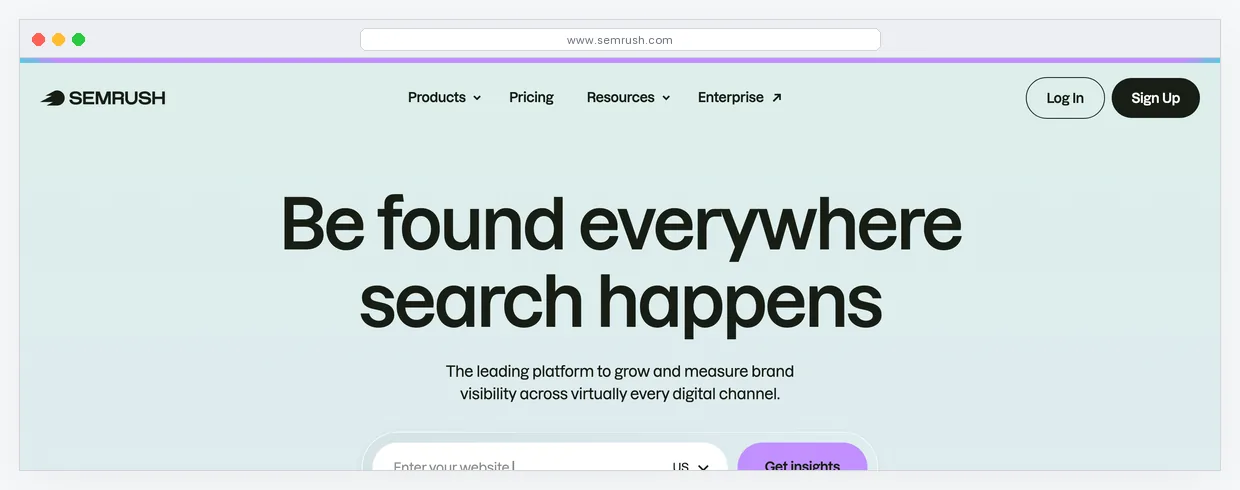
Semrush is overkill for a brand-new store but becomes the highest-ROI tool in your stack once you have a profitable product and the bandwidth to act on keyword data. The keyword gap tool shows exactly what your top competitor ranks for that you do not. The ad history feature surfaces every paid ad a competitor has run on Google, including the copy and landing page URL. For a dropshipper adding SEO to an already-profitable paid channel, that intelligence is worth 10x the subscription fee.
Key features:
- Keyword gap analysis against up to 4 competitors simultaneously
- Ad history with full creative and landing page archives
- Backlink audit and outreach tooling
- Position tracking with daily ranking updates
Pricing: $139.95/mo Pro, $249.95/mo Guru
Limitation: The price is a real commitment for a store under $20K a month. Do not subscribe until you have a profitable product and the bandwidth to act on keyword data. Otherwise it becomes a $140 dashboard you log into twice a month and forget about.
Start a Semrush trial here, or check the full Semrush review for the deeper breakdown.
AI content and copy (replaces your copywriter)
A copywriter charges $150 to $300 per product description page. Testing 10 products a month means $1,500 to $3,000 in writing fees before you launch a single ad. An AI platform collapses that line item to $12.50 a month and delivers first drafts in seconds instead of days.
Okara AI
Best for: Operators who need a multi-model AI workspace for generating product descriptions, ad copy, and email drafts at a fraction of the cost of ChatGPT Plus.
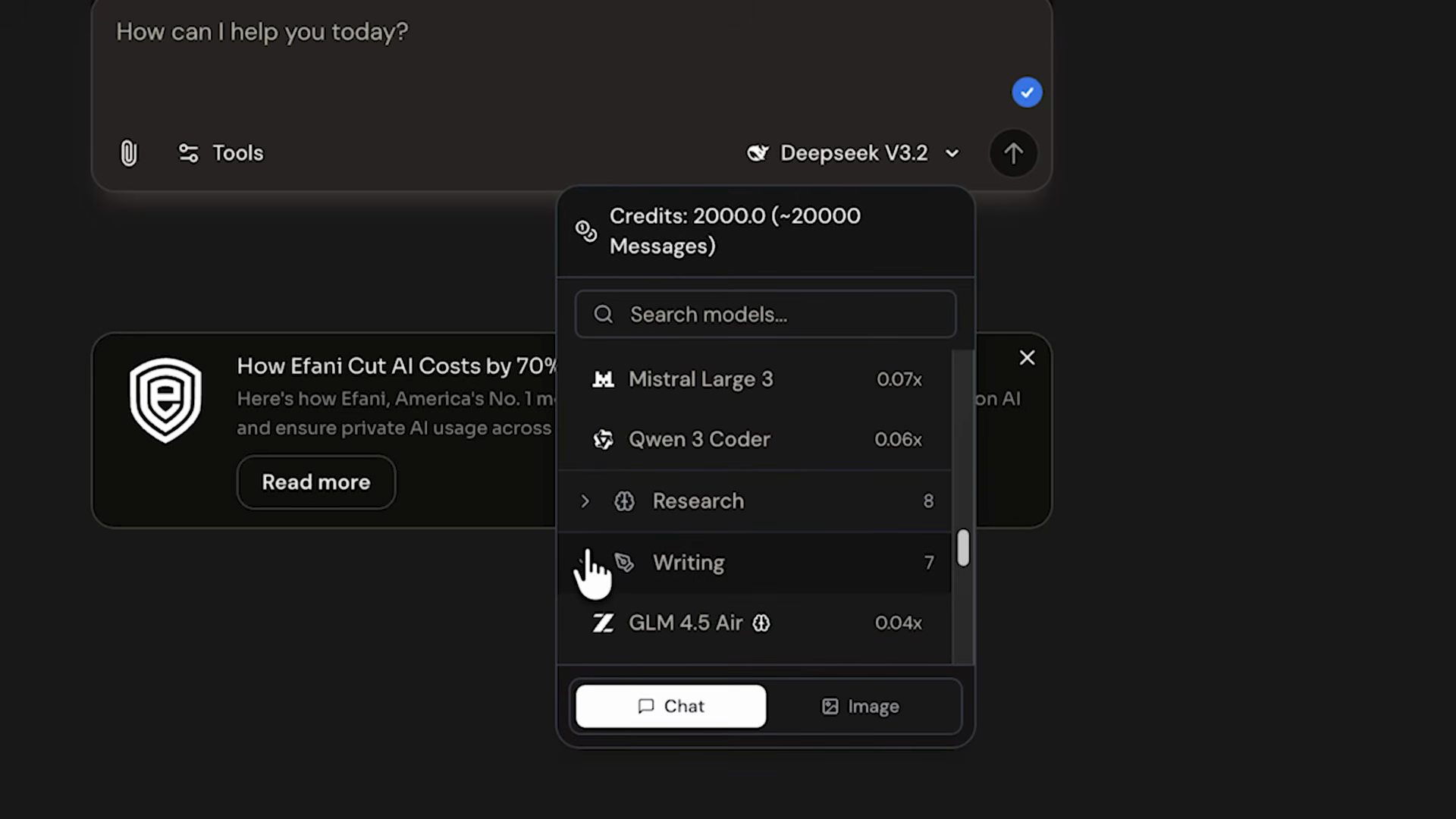
Okara AI bundles 20-plus open-source language models (DeepSeek, Mistral, Qwen, and others) into a single encrypted workspace. For dropshipping, the value is access to multiple AI models under one subscription. You paste a product name and three key features, switch between models to compare output quality, and generate 5 to 10 copy variations per product in under 3 minutes. The web search integration means you can feed it competitor product pages and ask for differentiated copy without leaving the platform.
Key features:
- 20-plus AI models in one workspace with mid-conversation switching
- Web search and document upload for research-backed content generation
- Project organization for managing copy across multiple product lines
- Client-side encryption for proprietary product research data
Pricing: Free tier with limited credits, $12.50/mo Pro (annual), $20/mo Pro (monthly)
Limitation: Okara is a general-purpose AI platform, not a dedicated ecommerce copy tool. It does not ship with pre-built product description templates or Shopify-specific workflows. You write the prompts yourself. The output quality depends entirely on your prompting, which takes a few hours to dial in for your product niche.
Try Okara AI free here, or see the full Okara AI review for the platform walkthrough.
Landing pages and funnels (replaces your web designer)
Shopify product pages convert fine for warm traffic and returning customers. For cold paid traffic on a brand-new product test, a dedicated landing page converts better because it strips out store navigation, "related products" distractions, and the standard Shopify template format that everyone on Meta has already scrolled past. A freelance web designer charges $800 to $2,000 per page build. AI builders charge $0 to $69 a month for unlimited pages.
LanderLab
Best for: Direct-response landing pages for paid traffic campaigns that need to ship the same day the ad goes live.
LanderLab generates mobile-first landing pages from a product URL and a brief description. The templates are built for paid traffic conversion, not general marketing sites, which means they ship with urgency blocks, social proof sections, and video hero slots that match what actually converts on Meta and TikTok. You paste your Shopify product URL, describe the target buyer, and the AI drafts a complete page in under 3 minutes. Built-in A/B testing splits traffic without a third-party tool.
Key features:
- AI page generation from product URLs and brief descriptions
- Mobile-first templates tuned for direct-response paid traffic
- Built-in A/B testing with automatic traffic splitting
- Fast CDN hosting included on all plans
Pricing: $69/mo Launch (annual billing), $129/mo Launch (monthly). Includes 50 pages and 100K monthly visits.
Limitation: At $69 a month, LanderLab is a Stage 2 or Stage 3 tool for stores with proven products, not a day-one expense. The AI drafts also need 15 to 20 minutes of human editing per page. Structure comes out right, but the hero copy is generic until you rewrite it yourself.
Try LanderLab here, or read the full LanderLab review.
Systeme.io
Best for: Operators who need funnels, email, and landing pages in one tool for zero dollars a month.
Systeme.io is not built specifically for dropshipping, but the free forever plan is the strongest zero-cost funnel builder available. For dropshippers running lead magnet funnels (free-shipping offers, email capture before product view, coupon-gated landing pages), it handles the entire flow: landing page, email capture, automation sequence, and upsell page, all without paying a dollar. At $0 a month, this is your landing page and funnel solution until you have a proven product worth a $69 LanderLab subscription.
Key features:
- Free forever plan with up to 2,000 contacts
- Integrated funnel builder, email marketing, and automation
- Payment processing for upsells and order bumps
- Course and membership site hosting for info-product pivots
Pricing: Free forever, $27/mo Startup, $47/mo Webinar, $97/mo Unlimited
Limitation: The templates look dated compared to LanderLab or a custom Shopify theme. The page builder is slower and less visual than dedicated landing page tools. This is the "free and functional" tradeoff, not a best-in-class design experience.
Start Systeme.io free here, or read the full Systeme.io review.
Email and SMS automation (replaces your email consultant)
Cart abandonment sits at 70.19% across ecommerce according to Baymard Institute's meta-analysis of 50 studies. That is the single biggest revenue leak in a dropshipping funnel: you paid for the click, the landing page view, and the add-to-cart, then the customer walked away. Abandoned cart flows recover 10 to 15% of those lost orders without additional ad spend. Omnisend's 2025 report shows automated emails generate 37% of all email-driven revenue from just 2% of sends. That is the highest-ROI lever available to any store running paid traffic.
Practitioner tip
Your first abandoned cart email should fire within 60 minutes of abandonment. Recovery rates drop off a cliff after the 4-hour mark. This is the single highest-impact setting in your email configuration. Get the timing right before you optimize anything else.
Omnisend
Best for: Dropshippers who need ecommerce email and SMS flows running in a single afternoon without building anything from scratch.
Omnisend is purpose-built for Shopify stores, which matters in a category full of generic email tools that require hours of manual configuration. The pre-built automation library covers the four flows that directly protect dropshipping margin: abandoned cart, browse abandonment, welcome series, and post-purchase upsell. You connect your Shopify store, activate the flows, and they fire immediately. The SMS integration is native, not a third-party bolt-on, so you can send an email, wait 30 minutes, then fire an SMS if the cart is still open, all in one workflow.
Key features:
- Native Shopify integration with 1-click setup
- Pre-built abandoned cart, browse, welcome, and post-purchase flows
- Integrated SMS with conditional branching in the same automation
- Product recommendation blocks powered by real purchase behavior
Pricing: Free to 250 contacts and 500 emails/mo, $16/mo for 500 contacts, $59/mo for 5,000 contacts
Limitation: Segmentation is solid but not as deep as Klaviyo. Once you cross 10K subscribers and need predictive lifetime value scoring or churn risk modeling, you will either migrate to Klaviyo or stay on Omnisend and do the heavy analysis in a spreadsheet.
Start Omnisend free here, or see the full Omnisend review.
Klaviyo
Best for: Stores past 5,000 subscribers that need behavior-based segmentation and predictive analytics to maximize revenue per contact.
Klaviyo is the industry default for scaled Shopify stores. The segmentation engine builds audiences on 60-plus behavior filters: product viewed, added to cart, purchase category, predicted next order date, churn risk score. For a store doing $50K a month with a 15,000-subscriber list, Klaviyo's predicted lifetime value tool surfaces the top 10% of contacts worth 3x the average, and you run targeted campaigns at them specifically. That level of granularity is difficult to replicate in cheaper tools.
Key features:
- Behavior-based segmentation with 60-plus filter conditions
- Predictive analytics (next order date, lifetime value, churn risk)
- Native Shopify integration with real-time event sync
- SMS and email unified on the same platform and data layer
Pricing: Free to 250 contacts, $45/mo for 1,500 contacts, $150/mo for 10,000 contacts
Limitation: Pricing scales faster than value for stores under $30K a month. A 5,000-contact list costs roughly $100 a month on Klaviyo, about 2x what Omnisend charges at the same list size. Do not switch to Klaviyo until segmentation gaps in Omnisend are measurably costing you revenue.
Read the full Klaviyo review to see exactly where the pricing and segmentation tradeoff makes sense for your list size.
Workflow automation (replaces your ops contractor)
Every dropshipping store has repetitive operations work that does not need a human brain: logging orders to a tracking sheet, notifying suppliers on low stock, tagging email contacts by purchase behavior, firing Slack alerts on refund requests. An ops contractor charges $400 to $800 a month for this work. Automation tools handle it for $0 to $20 a month and never miss a trigger.
Make
Best for: Visual automation builders who want to see the entire workflow as a diagram and debug each step independently.
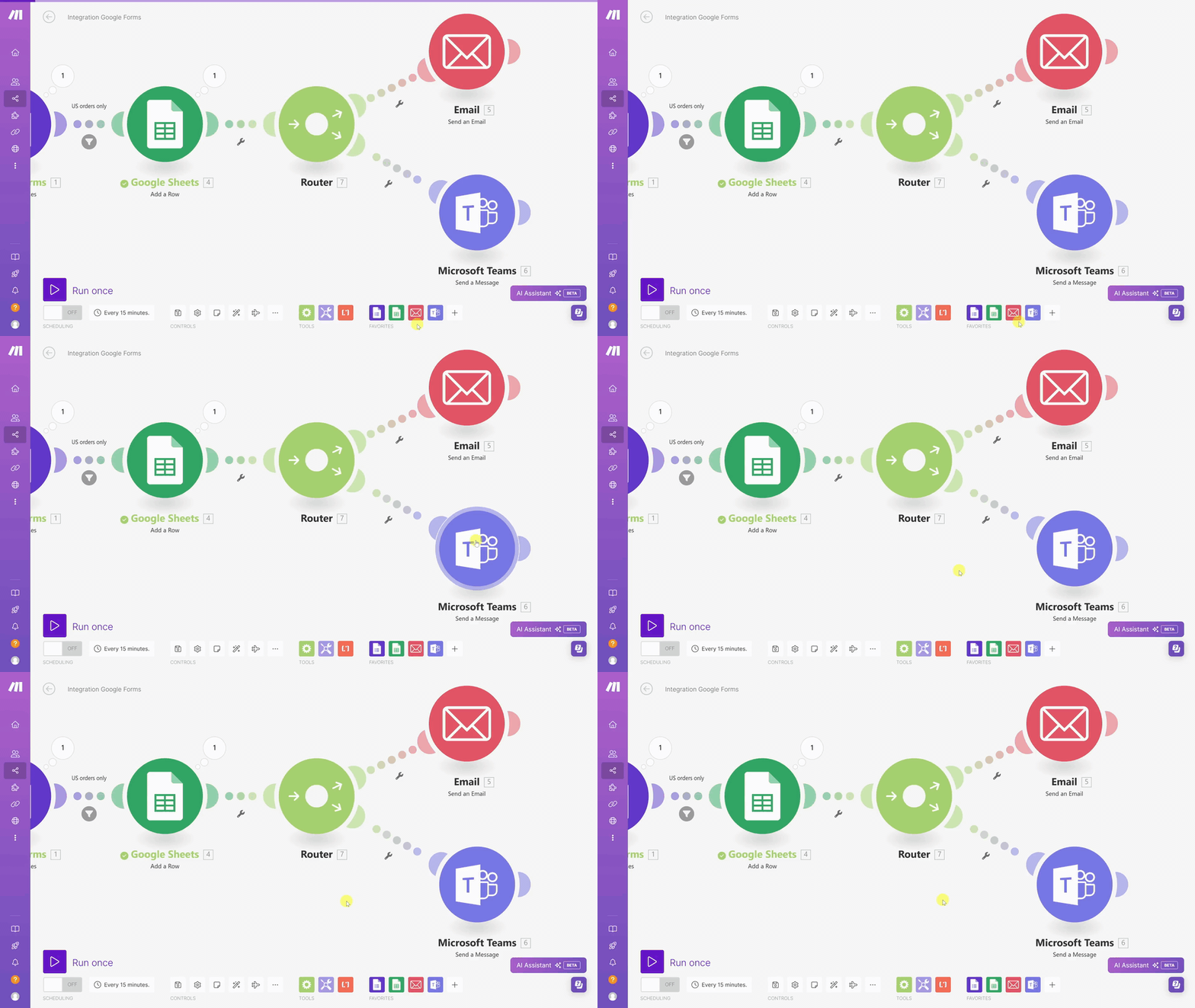
Make is the most capable no-code automation tool in the sub-$20 price range. The visual scenario builder maps every trigger, action, and branch as a flowchart, which makes building and debugging complex workflows faster than text-based alternatives. For dropshipping, the highest-value Make scenarios: new Shopify order triggers a row in Google Sheets with product name and margin, a refund request tags the customer in Omnisend and removes them from the upsell flow, and a low-stock alert fires a Slack notification so you pause ads before selling inventory you cannot fulfill.
Key features:
- Visual scenario builder with step-by-step execution logging
- 1,500-plus app integrations including native Shopify and Omnisend
- Conditional logic and data transformation within the flow
- Built-in error handling with retry and fallback paths
Pricing: Free to 1,000 operations per month, $9/mo Core, $16/mo Pro
Limitation: The learning curve is steeper than Zapier. Budget 2 to 3 hours of tutorial time before you build your first confident scenario. Worth the investment for anyone running more than 3 automations, but not instant to learn.
Start Make free here, or check the full Make review.
Zapier
Best for: Simple trigger-action automations and operators whose stack includes a niche tool that Make has not integrated.
Zapier supports over 7,000 apps, more than any competitor in the category. That breadth matters when your stack includes a regional shipping tool, a niche supplier portal, or an uncommon analytics platform that Make does not cover. The step-by-step Zap editor is simpler than Make's visual canvas, which means faster setup for basic 2-step workflows like Shopify order to Google Sheet row. For dropshipping, Zapier is the right pick when your stack includes at least one app that Make does not support.
Key features:
- 7,000-plus app integrations, broadest in the automation category
- Simple trigger-action editor for fast workflow setup
- Pre-built Zap templates for common ecommerce workflows
- Multi-step Zaps with conditional logic on paid plans
Pricing: Free to 100 tasks per month, $19.99/mo Starter, $49/mo Professional
Limitation: Pricing scales fast on multi-step workflows. A Zap with 5 steps burns 5 tasks per single trigger event, so your monthly task budget evaporates quickly on complex automations. For stores running 10-plus workflows, Make is significantly cheaper per operation.
See the full Zapier review to compare pricing and task limits against Make side-by-side.
CRM and upsell funnels (replaces your agency stack)
Most dropshippers ignore repeat purchase revenue entirely, which leaves 20 to 30% of potential lifetime value on the table. A returning customer costs zero to acquire (no ad spend) and converts at 3x the rate of a cold visitor. An agency charges $2,000 to $5,000 a month to build and maintain an upsell engine. A CRM platform handles the same machinery for $97 a month.
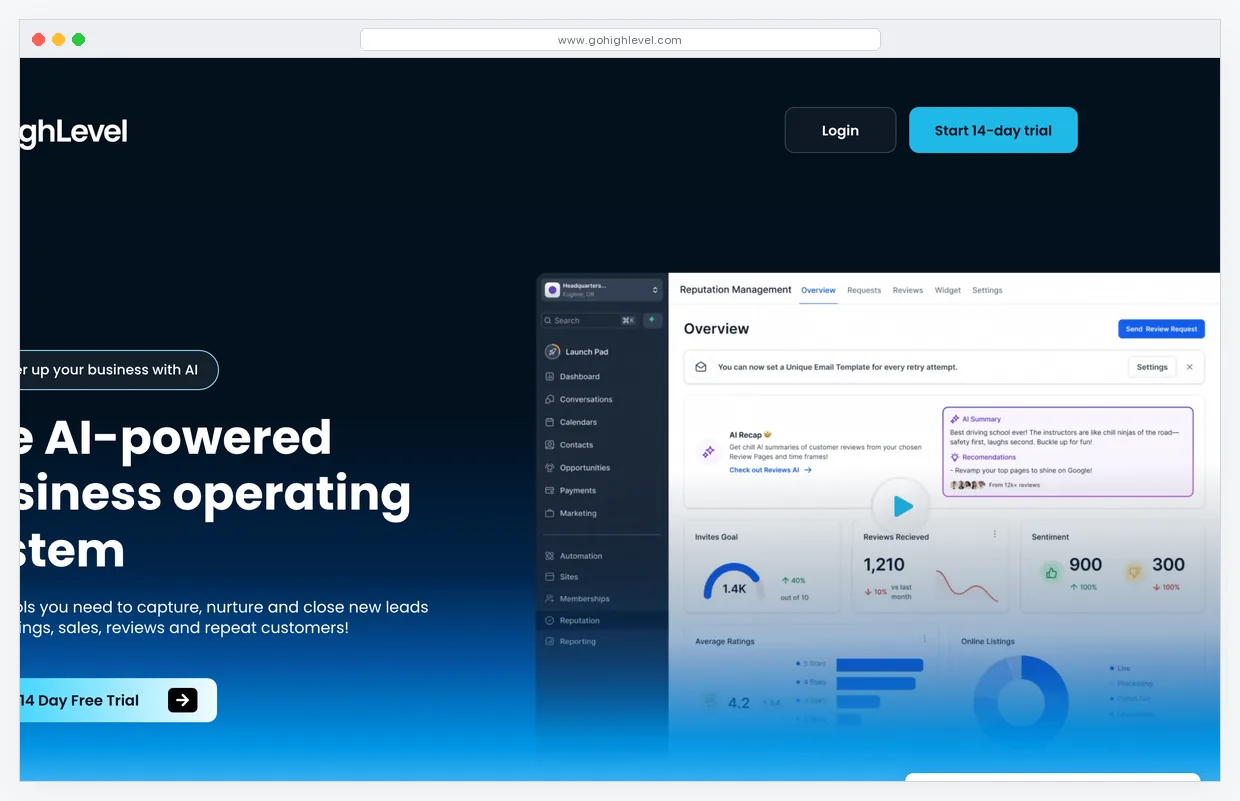
GoHighLevel
Best for: Operators running multiple stores or multiple product lines who need CRM, email, SMS, and funnels consolidated in one login.
GoHighLevel was built for agencies, but solo dropshippers use it for the same reason: every customer touchpoint managed in one platform. The highest-impact feature for dropshipping is the post-purchase workflow: new order triggers a thank-you email, 7 days later a cross-sell SMS, 14 days later a review request with a coupon for a second product. That single automation sequence adds 15 to 25% to customer lifetime value on stores with 1,000-plus total orders.
Key features:
- Full CRM with customer timeline per contact
- Integrated email, SMS, and voice campaigns on one platform
- Funnel and landing page builder included in every plan
- Unlimited contacts on all pricing tiers
Pricing: $97/mo Starter, $297/mo Unlimited, $497/mo SaaS Pro
Limitation: The interface has a steep learning curve designed for agencies managing 10-plus client accounts simultaneously. A solo dropshipper uses maybe 30% of the platform's capability. If you only need email and SMS, Omnisend is more focused and less expensive. GoHighLevel earns its price when you run multiple stores or product lines and need a single dashboard for everything.
Try GoHighLevel here, or see the full GoHighLevel review.
How to stack these tools at each revenue stage
The worst mistake in this category is subscribing to the full stack before you have a profitable product. You end up paying $400 a month in tools to run a store that has not found product-market fit yet. Here is the sequencing that keeps your burn rate low until you have a proven winner.
Stage 1: First 50 orders (under $3K/mo revenue). Your only job is finding one product that converts. GetHookd at $19/mo for daily ad research, Okara AI free tier for product copy drafts, Omnisend free tier for a basic abandoned cart sequence, and Make free tier for one Shopify-to-Sheets order log. Total tool spend: $19 a month. Do not add anything else until a single product clears $3K in monthly revenue.
Stage 2: Consistent daily orders ($3K to $10K/mo). You have a product that converts. The problem shifts from "finding a winner" to "operational drag eating your hours." Upgrade Omnisend to the $16/mo paid tier to unlock SMS recovery flows. Add Systeme.io (free) for dedicated funnel pages. Keep Make on the free tier until you cross 1,000 operations a month. Total stack cost: about $35 a month. You are replacing a $1,500/mo email consultant and an $800 landing page build.
The tool-creep trap
Every new tool has a learning tax of 2 to 5 hours before it produces value. Add one tool per month. Prove it earns its fee within 30 days. If a tool is not generating clear ROI by day 30, cancel it and reallocate the budget to ad spend.
Stage 3: Scaling ($10K to $30K/mo). You have multiple products or a single high-volume winner. Add LanderLab at $69/mo for professional landing pages with A/B testing. Upgrade Make to the $9/mo Core plan for higher operation limits. Add Okara AI Pro at $12.50/mo for faster, higher-volume copy generation. Total stack: roughly $135 a month. You are replacing a $2,000-plus web designer invoice and tightening the pipeline from creative to landing page to conversion.
Stage 4: At scale ($30K+/mo). Shopify's native analytics start to mislead you at this ad spend level. Add Semrush at $139.95/mo for organic traffic capture and competitor keyword intelligence. Evaluate migrating from Omnisend to Klaviyo ($100 to $150/mo) if your list exceeds 10K contacts and segmentation gaps are costing real revenue. Consider GoHighLevel at $97/mo if you run multiple stores or product lines. Total stack: $350 to $500 a month. You are replacing an agency retainer of $5,000 or more.
The weekly workflow that runs on under 5 hours
Tools only produce value when you run them consistently. Here is the weekly rhythm that keeps the full stack generating returns.
Monday (60 min): Research. Open GetHookd. Filter by 30-plus-day ads in your niche. Save the top 5 performing creatives. Note the hook type, the benefit claim, and the CTA format of each. You now have 5 proven angles for this week's ad tests.
Tuesday (90 min): Creative and copy. Drop the 5 angles into Okara AI to generate ad copy and product description variations. Build matching static creatives in Canva or pull video scripts from GetHookd. Ship 10 ad variations total across the 5 angles (two creatives per angle) into your ad account.
Wednesday (30 min): Landing page check. Open LanderLab or Systeme.io. Confirm your landing page renders correctly on mobile. Check A/B test results from the previous week. Kill any variant with fewer conversions than the control after 500 visits.
Thursday (30 min): Email flow audit. Open Omnisend. Pull the last 7 days of abandoned cart flow stats. If first-email open rate is below 40%, rewrite the subject line. If cart recovery rate is below 8%, check the send timing. First email must fire within 60 minutes of abandonment.
Friday (45 min): Ops review. Check Make for scenario errors and failed runs. Clear any open support tickets. Review the order tracking sheet for fulfillment delays. Write 3 sentences documenting what worked this week and what to test next Monday.
Total active time: 4 hours, 15 minutes per week. Everything else runs on automations while you do something else.
What this stack replaces
Roughly $5,000 a month in agency fees: $2K product research, $1.5K ad creative production, $1.5K email flow management. Your replacement cost at Stage 2 is about $35 a month in tools and 4 hours of your own time per week. That margin recapture is the real unlock for profitable dropshipping.
What AI tools will not fix
Be clear-eyed about the limits of this stack.
No demand. AI cannot manufacture product-market fit. If nobody wants the product, better ads and faster copy just accelerate the loss.
Bad unit economics. If your margins do not support paid traffic after product cost, shipping, returns, and ad spend, no tool saves the math. Run the numbers before subscribing to anything.
Unreliable suppliers. Customer experience problems surface as refunds and chargebacks. AI cannot fix a supplier who ships late, sends wrong items, or goes dark for two weeks during peak season.
Skipping the test phase. AI compresses the time and cost per product test. It does not eliminate the need to test at all. Operators who expect the stack to pick winning products for them will lose money faster, not slower. Shopify's own benchmarks place cold traffic conversion rates at 1.5 to 2.5%. No tool changes that baseline. What the stack changes is how many products you can test per month, how fast you iterate on creative, and how much revenue you recover from abandoned carts. Those are the three levers that matter. Everything else is noise.
Frequently asked questions
What is the cheapest AI dropshipping stack that works in 2026?
$19 a month. GetHookd at $19 for ad research, Omnisend free tier for abandoned cart email, Make free tier for order automation, and Okara AI free tier for product copy. That stack covers research, email recovery, automation, and copywriting. Upgrade to paid tiers tool-by-tool once a single product clears $3K in monthly revenue.
Do I need Klaviyo or is Omnisend enough for dropshipping?
Omnisend is enough until you pass roughly 5,000 active subscribers or 100 daily orders. It ships with pre-wired abandoned cart, browse abandonment, and welcome flows built for ecommerce. Klaviyo has deeper segmentation and predictive analytics but costs 2 to 3x more at the same list size. Start with Omnisend. Migrate to Klaviyo only when segmentation limits are measurably costing you revenue.
How many AI ad creatives should I run per product test?
Five to ten creatives per product, split across 2 to 3 distinct hooks. Run each for 1,000 impressions at $10 to $20 per day before making a kill decision. Creatives with click-through rates under 1.0% get paused. Anything above 2.0% gets a budget increase to $50 per day. This process surfaces a winning angle in 72 hours instead of 3 weeks.
Is AI dropshipping still profitable in 2026?
Yes, but the margin window is tighter than 2020. Cost per click on Meta and TikTok is higher, platform enforcement is stricter, and consumers have seen every standard ad format. What still works is speed of iteration. Operators who test 5 to 10 products per month with disciplined creative rotation still hit 15 to 20% net margins. Operators who launch one product and wait to see what happens get outpaced. AI tools compress the test cycle. They do not replace the need to test.
Can I run a dropshipping store with no paid tools at all?
You can, but the labor cost is worse than the subscription. A free-only stack of ChatGPT for copy, Canva free for creatives, Shopify native email, and manual order tracking eats roughly 20 hours a week of your time. The stack in this article handles the same work in under 5 hours a week for $19 to $135 per month depending on revenue stage. Solo operators who stay on free-only tools past their first profitable product are almost always constrained on time, not money.
Next steps
Pick the Stage 1 stack, install it this week, and run one product test. If the product clears $3K in revenue, graduate to Stage 2 and add the paid tiers. If it does not, kill the product, keep the stack, and test the next one. The tools are not the hard part. The test discipline is.
Use the AI tool advisor to get a matched dropshipping stack for your exact revenue stage and budget.